Contractors should add schema markup in JSON-LD to a short list of pages: Organization and a specific LocalBusiness type, such as GeneralContractor, on the home page, matching location markup on real office pages, and breadcrumbs on inner pages. Mark up only what visitors can see, skip star-rating markup for your own reviews, and test every change in Google’s Rich Results Test.
Key Takeaways
- Use JSON-LD, the structured data format Google recommends.
- Pick the most specific business type, such as GeneralContractor or RoofingContractor.
- Google lists name and address as the required LocalBusiness properties.
- Markup must describe content that visitors can actually see on the page.
- Reviews a business controls about itself are ineligible for star ratings.
- FAQ rich results stopped appearing in Google Search on May 7, 2026.

What Schema Markup Does for a Contractor Website
Schema markup is code that labels the facts on a page so search engines read them correctly: this is a general contractor, this is the phone number, these are the hours. Google says structured data gives it explicit clues about a page’s meaning, as laid out in its introduction to structured data, and that markup can make a page eligible for rich results without guaranteeing any particular result. Think of it as a clarity tool, not a ranking shortcut.
Google recommends JSON-LD because it sits in a single script block instead of being woven into visible text, which makes it easier to maintain. That helps a contractor, since one block can be updated when hours or a phone number change. Because the markup lives in a page’s technical layer, it belongs with the rest of your technical search optimization for contractors, not in a separate project.
It also helps to know what markup will not do. Google’s guidance on AI features says no special schema is required to appear in AI Overviews or AI Mode, so markup is housekeeping for accuracy and not a ticket into those answers. Accurate business details, original content, and a crawlable site still carry the weight.
Choosing the Right Business Type
Google’s LocalBusiness guidance says to use the most specific subtype available. In schema.org, the HomeAndConstructionBusiness family includes GeneralContractor, RoofingContractor, Electrician, Plumber, HVACBusiness, and HousePainter. A remodeler that frames, finishes, and builds additions is usually described best by GeneralContractor, while a roofer should choose RoofingContractor.
Multi-trade companies can list more than one type in an array, since Google says additionalType is not supported. Keep that list honest. Declaring five trades you only occasionally handle makes the markup disagree with the page. Google also recommends following its Organization fields alongside LocalBusiness, so the same block should carry the name, url, logo (at least 112 by 112 pixels), and sameAs links to your other profiles.
If you are unsure which type fits, compare the options with the primary category on your Business Profile. Matching the two can help reduce mixed signals about what the company does.
Where Each Schema Type Belongs
The table maps common contractor pages to the markup that fits them and the mistake to avoid on each.
| Page | Markup to Add | Key Details | Watch For |
| Home page | Organization plus a LocalBusiness subtype | Name, url, logo, phone, address, sameAs profiles | Details must match the visible footer and Business Profile |
| Office or location page | LocalBusiness subtype | Address, hours, geo coordinates, phone | One real location per page |
| Service pages | Service (optional) | serviceType, provider, areaServed | No dedicated Google rich result, so expect no visible change |
| Inner pages | BreadcrumbList | The path from the home page to the page | Must mirror the breadcrumbs visitors see |
| Project pages | Image or video markup (optional) | Only media shown on the page | Check Google’s eligibility rules first |
| Testimonials page | No star-rating markup | Keep the reviews as visible text | Self-reviewed ratings are ineligible for stars |
Google says Organization markup goes on the home page or on a single page that describes the organization, not on every page. LocalBusiness markup can sit on any page but makes the most sense on a page about the business. Repeating the same block across hundreds of pages adds noise without adding information.
Companies with more than one office need a separate page and a separate block for each, with that office’s own address, phone number, and hours. Google’s url property points to the specific location, so merging several offices into one block with multiple addresses defeats its purpose.
A Starter LocalBusiness Block
The template below uses placeholder details. Replace every value with facts that already appear on your page, and place the block inside a script tag with the type application/ld+json.
{
“@context”: “https://schema.org”,
“@type”: “GeneralContractor”,
“name”: “Example Builders”,
“url”: “https://www.example.com/”,
“telephone”: “+1-555-555-0100”,
“address”: {“@type”: “PostalAddress”, “streetAddress”: “123 Main Street”,
“addressLocality”: “Anytown”, “addressRegion”: “ST”,
“postalCode”: “00000”, “addressCountry”: “US”},
“openingHoursSpecification”: {“@type”: “OpeningHoursSpecification”,
“dayOfWeek”: [“Monday”, “Tuesday”, “Wednesday”, “Thursday”, “Friday”],
“opens”: “07:00:00”, “closes”: “17:00:00”}
}
Google lists name and address as required for LocalBusiness and recommends telephone, url, openingHoursSpecification, and geo coordinates with at least five decimal places. Seasonal hours can use validFrom and validThrough dates. Emergency contractors should note how Google handles unusual hours: a business open around the clock uses opens 00:00 and closes 23:59, and a day closed all day sets both values to 00:00. Leave out priceRange unless you can state a true range, because Google caps it at under 100 characters and a guess misleads readers.
Contractors who hide a home address for privacy should note that address is required, and that markup must not describe details visitors cannot see. Decide how to handle those pages with your developer before publishing, instead of inventing a public address.
Service Pages, Project Pages, and Service Areas
Service markup is a reasonable way to state what a page offers, using serviceType, a provider that points back to your business, and areaServed for the towns you cover. Google does not publish a dedicated rich result for it, so expect no visible change in search. The same caution applies to city-by-city service blocks: add one only where the page genuinely covers that city. Keep the wording honest, too. If the page is about roof replacement, serviceType should say roof replacement, not a string of keywords.
Project pages are where contractors prove their work, and that proof is plain content first: real photos, scope, location, and results. Markup for images or video is optional, and Google’s image features carry their own eligibility rules. A block of code cannot make a thin project page credible, and a page Google cannot index gets no benefit at all, which is why sorting out practical contractor indexing issues comes before any markup work.
Reviews and FAQ Markup: What Changed
Many contractor guides still recommend AggregateRating markup on the testimonials page. Google’s review snippet guidelines say pages using LocalBusiness or other Organization markup are ineligible for the star review feature when the business controls the reviews about itself, and that includes reviews shown through an embedded widget. Google’s general structured data guidelines add that fake reviews can lead to a manual action, and that any marked-up reviews should reflect all the reviews visible on the page.
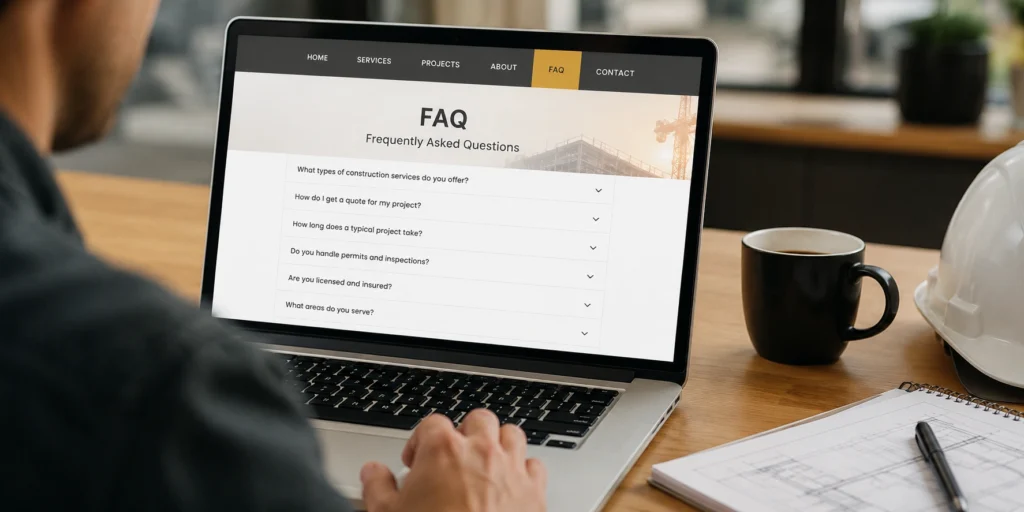
FAQ markup has changed as well. Google’s FAQ documentation records that the FAQ rich result stopped appearing in Search on May 7, 2026. FAQPage is still a valid schema.org type, so existing markup can stay, but expect no visible result from it. A visible FAQ section is still worth keeping because homeowners read it.
Testing and Maintaining Your Markup
Markup breaks quietly, usually after a redesign or plugin update, so build a short routine around it. Google’s Rich Results Test checks a URL or a pasted snippet, and the steps below keep errors from piling up.
- Run the page URL or code through the Rich Results Test before publishing.
- Confirm robots.txt and noindex are not blocking the page, since blocked pages cannot be tested.
- After launch, watch the rich result reports in Search Console for new errors.
- After fixing an issue, use Validate fix and allow two weeks or more for the check.
- Recheck after redesigns, plugin updates, and any change to hours, phone, or address.
The common mistakes are predictable: copying another company’s block with the wrong address, leaving a former phone number in the code, marking up services the page never mentions, and pasting plugin-generated markup without reading it. Plugin-heavy sites often stack scripts, so a contractor Core Web Vitals strategy should weigh each schema plugin against page speed. Markup errors also tend to share a cause with other site-wide faults, so working through a technical SEO for contractors guide alongside the schema fixes catches them together. Schema works best as one piece of ongoing SEO services for builders that also cover content, local signals, and crawl health.
Things to Know
- Use one JSON-LD block per entity, and keep it in sync with the visible page.
- Match phone, address, and hours to your Business Profile and footer exactly.
- Valid markup does not guarantee a rich result, as Google states.
- A structured data problem can bring a manual action, which removes rich result eligibility.
- Remove comments from JSON-LD before publishing, since they are not part of the standard.
- Review the markup after any redesign, plugin update, or change of business details.
Frequently Asked Questions
What schema markup should a contractor add first?
Start with Organization and a LocalBusiness subtype on the home page.
Google recommends Organization markup on the home page or one page that describes the business. Add breadcrumbs next, then location and service markup only where a page truly supports it.
Does schema markup improve contractor rankings?
Google describes structured data as a way to understand pages and enable rich results, not as a ranking boost.
Valid markup does not guarantee any rich result either. Treat it as a clarity and accuracy tool that supports good content, not as a replacement for it.
Can I add star-rating markup for my Google reviews?
You can add it, but Google will not show stars for reviews a business controls about itself.
Google’s guidelines say this applies even when reviews appear through an embedded widget. Fake or non-user reviews can lead to a manual action, so keep testimonials as plain visible text.
Should contractors still add FAQ schema?
It is optional now, because Google stopped showing FAQ rich results on May 7, 2026.
Existing FAQ markup can stay, but expect no visible result in Search. A visible FAQ section remains worth keeping because homeowners read it.
How do I test contractor schema markup?
Run the page URL or a code snippet through Google’s Rich Results Test, then monitor Search Console.
The test cannot fetch pages that robots.txt or noindex blocks. After a fix, Search Console’s Validate fix process can take two weeks or more.
Marking Up the Home Page Before Auditing Everything Else
Pick the home page and nothing else for the first pass. Copy the business name, phone number, and address exactly as they appear in your footer, choose the single trade type that fits best, and test the block before it goes live. Once that holds up in Search Console, move to your office page and breadcrumbs, and leave the other ideas for later. Add a calendar reminder to recheck the block each quarter, because stale hours and old phone numbers are the errors homeowners actually notice. One accurate block does more for you than a dozen guessed ones.