Core Web Vitals are three real-user measurements Google recommends for a good page experience: Largest Contentful Paint of 2.5 seconds or less, Interaction to Next Paint of 200 milliseconds or less, and Cumulative Layout Shift of 0.1 or less. Contractors should test the pages that bring in leads, fix heavy photos, extra widgets, and shifting layouts first, and treat the scores as one part of a good site, not a ranking guarantee.
Key Takeaways
- Google’s targets are LCP of 2.5 seconds or less, INP of 200 milliseconds or less, and CLS of 0.1 or less.
- Scores are judged on real-user field data, not on one lab test.
- Test the home page, top service page, and quote page before anything else.
- Heavy photos, sliders, and third-party widgets are common contractor-site culprits.
- Google says good scores do not guarantee a top ranking.
- Fix one cause at a time and recheck, since field data takes about 28 days to catch up.
What Core Web Vitals Measure
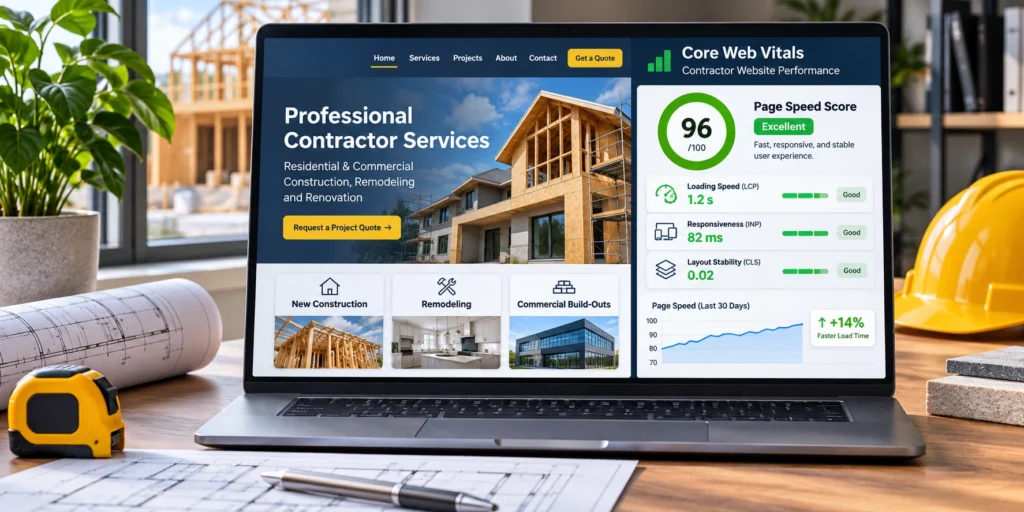
Core Web Vitals turn three parts of a visit into numbers. Largest Contentful Paint (LCP) measures loading, meaning how long the main photo or headline takes to appear. Interaction to Next Paint (INP) measures responsiveness, meaning how quickly the page reacts when someone taps a button or opens a menu. Cumulative Layout Shift (CLS) measures visual stability, meaning whether the page jumps around while it loads. INP replaced First Input Delay as the responsiveness metric in March 2024, so older guides that mention FID are out of date.
Google and the Chrome team publish a target for each, and a page is judged at the 75th percentile of real visits. In plain terms, most visitors need a good experience, not just the ones on the fastest phones. The table lists each target alongside the causes that tend to trip up contractor sites.
| Metric | Good | Poor | Common Causes on Contractor Sites |
| Largest Contentful Paint (LCP) | 2.5 seconds or less | Over 4 seconds | Oversized project photos, hero video or sliders, slow hosting |
| Interaction to Next Paint (INP) | 200 milliseconds or less | Over 500 milliseconds | Unused plugins, chat or quote widgets on every page, old tag manager code |
| Cumulative Layout Shift (CLS) | 0.1 or less | Above 0.25 | Images or embeds without set size, review badges, banners added after load |
None of the three is a general speed score, and that is useful. A home page can feel quick yet fail CLS because a review badge pushes the call button down after loading, and a service page can load fast yet fail INP because a chat widget makes the screen hang. Separating the metrics shows which problem to chase, and that diagnosis is a core part of construction technical SEO services, which pair speed testing with crawl, indexing, and mobile checks.
How Much Core Web Vitals Matter for Rankings
Google’s documentation says it highly recommends good Core Web Vitals for success with Search, and that they align with what its core ranking systems seek to reward. Its page experience guidance adds that there is no single signal, and that good results in the Core Web Vitals report or in third-party tools do not guarantee that a page will rank at the top.
That framing matters because many vendors promise ranking jumps from speed work alone. Google says it prioritizes relevant content, and that page experience can help most when several pages offer similarly relevant content, which describes most local contractor searches. A fast page does not rescue weak content, and a slow page can still lose the homeowner who taps back before the photos appear. Google’s guidance also cautions that chasing perfect scores purely for search is not the best use of time, so aim for good, then spend the remaining effort on content and local signals.
Speed work therefore belongs inside a wider plan. Pairing it with trade business SEO support for content, local signals, and technical health keeps the effort tied to leads, because the real cost of a slow page is the visitor who calls the next company instead.
Where to Check Your Scores
Google’s PageSpeed Insights needs no setup. Enter a URL and it shows real-user data for that page, or for the whole site where available, split by mobile and desktop. Start there before paying anyone for an audit, and save the results so you have a baseline to compare against.
Search Console’s Core Web Vitals report covers pages Google knows about and groups similar URLs together, so a problem on one template, such as every project page, appears as one issue instead of hundreds. Pages that never reach the index do not appear in these reports, which is why a contractor indexing issues strategy comes before speed tuning on those pages.
The data behind both tools comes from opted-in Chrome users and covers roughly the last 28 days, so a fix will not show up overnight. Not every site has enough traffic to appear at all. When yours does not, use lab results to find likely causes, then check back for real-user numbers as traffic grows.
Which Pages to Test First
Test the pages where homeowners decide to call: the home page, your highest-value service page, and the contact or quote request page. Then add any page with a booking tool, chat window, financing calculator, or call tracking script, since those load differently from plain pages. Check mobile and desktop separately, because the two often differ.
Test the address you actually promote, too. When one page loads under several URLs, results can scatter across versions, and a contractor canonical tags strategy keeps your attention on one. Google’s web.dev guidance also notes that URL parameters such as UTM tags can reduce caching effectiveness, which is another reason to keep campaign links tidy.
Because Search Console groups similar URLs, fixing one template often improves many pages at once. A single project-page or service-page template may cover dozens of URLs, so a fix there can pay off faster than polishing the home page a third time.
Fixing Loading Problems on Photo-Heavy Pages
Slow loading on contractor sites usually starts with images. Project photos straight from a phone can run to several megabytes, and a heavy hero image, slider, or video near the top of the page delays the largest element. Resize photos to the size they display, compress them, and keep autoplay video and carousels out of the first screen.
Server response is the other common cause. Google’s web.dev guidance lists slow server response, and notes that a content delivery network (CDN), a better-located host, and fewer redirects in campaign links can help. These sit outside the page itself, so raise them with your host instead of trying to patch them in the page editor.
Lazy loading is worth a word here. It helps for images far down the page, but the main image at the top should load right away, so check that your theme or optimization plugin has not delayed it by accident.

Fixing Slow Responses and Jumping Layouts
Responsiveness problems tend to come from scripts. Google’s web.dev guidance points to unused plugins, widgets loaded on every page when only one page needs them, and leftover tag manager code from old campaigns. Remove what you no longer use, and load the chat tool only on pages where it earns its place.
Layout shifts come from content that arrives without reserved space. Give images and embeds set dimensions, hold room for review badges and map embeds, and use overlays instead of banners that push the page down after it loads. These fixes sit alongside the rest of technical SEO for contractors best practices, such as clean redirects and crawlable pages, so schedule them together.
Working With a Developer or Host
Most owners will not edit code, but they can run the process. Give your developer or host a clear brief instead of a request to make the site faster.
- Record current mobile and desktop results for the three priority pages.
- List every plugin, widget, and tracking script, with the job each one does.
- Ask for one change at a time, starting with image weight, then scripts, then layout.
- Retest after each change and note the result.
- Test calls, forms, and booking after every change to confirm lead tracking still works.
Ask your host about server response time and caching as well. Google’s web.dev guidance advises choosing hosting with CDN and performance support, and bringing in a developer for anything beyond simple fixes.
Things to Know
- Field data covers about the last 28 days, so improvements take time to show.
- Mobile and desktop are reported separately, so check both.
- Lab tests help find causes, while field data is the standard Google reports on.
- Removing tracking tools without testing can break call and form reporting.
- Recheck after any redesign, new plugin, or added widget.
- Results vary between test runs, so look for patterns instead of single numbers.
Frequently Asked Questions
What are good Core Web Vitals scores?
Aim for LCP of 2.5 seconds or less, INP of 200 milliseconds or less, and CLS of 0.1 or less.
These targets come from Google and the Chrome team. A page is judged at the 75th percentile of real visits, so most visitors need a good experience, not just the fastest ones.
Do Core Web Vitals affect contractor rankings?
Google says its ranking systems use them, but good scores do not guarantee top results.
Google’s page experience guidance says there is no single signal and that relevant content still comes first. Treat speed work as a way to protect leads and support good content.
How do I check my contractor website’s Core Web Vitals?
Enter a page URL in PageSpeed Insights, then use Search Console’s Core Web Vitals report for the whole site.
PageSpeed Insights needs no setup and splits results by mobile and desktop. Search Console requires verified ownership but groups similar pages, so template problems are easier to spot.
Why does my site pass one speed test and fail another?
Lab tests simulate a single visit, while field data reflects real visitors over about 28 days.
Lab results are useful for finding causes, but real-user field data is the standard Google reports on. Mobile and desktop are also scored separately, so compare like with like.
Can I improve Core Web Vitals without a developer?
Some fixes are within reach, such as compressing photos and removing unused plugins.
Google’s web.dev guidance for non-developers also advises choosing hosting with a CDN and engaging a developer for deeper problems. Keep a record of each change so you can see which one helped.
Deciding Which Widget Earns Its Place on the Page
Open your site on a phone and count everything that loads besides your own content: the chat bubble, review badge, call tracking, cookie bar, and map. For each one, ask what job it does and what it costs in seconds. Keep the tools that bring in calls, delay or lighten the rest, and retest the three metrics after each change. A short list of tools that earn their place will do more for your page speed than any new plugin. Then put a monthly date on the calendar to rerun PageSpeed Insights and compare the results against your saved baseline.